Media player for Windows, Android TV and Android
One player.Every screenyou own.
Bring your own playlist. Neva turns it into a fast, tidy channel guide with live TV, movies and series, and keeps your place from one screen to the next.
No content included. You add your own sources, and you stay in control.
Where Neva runs
Microsoft Store and Google Play releases are on the way.
See it in action
One app, three kinds of screens.
The same library and the same habits, tuned for a remote, a thumb and a mouse.
Made for the couch.
Everything is within reach of the remote. Big type, a clear focus ring and no menus to dig through.
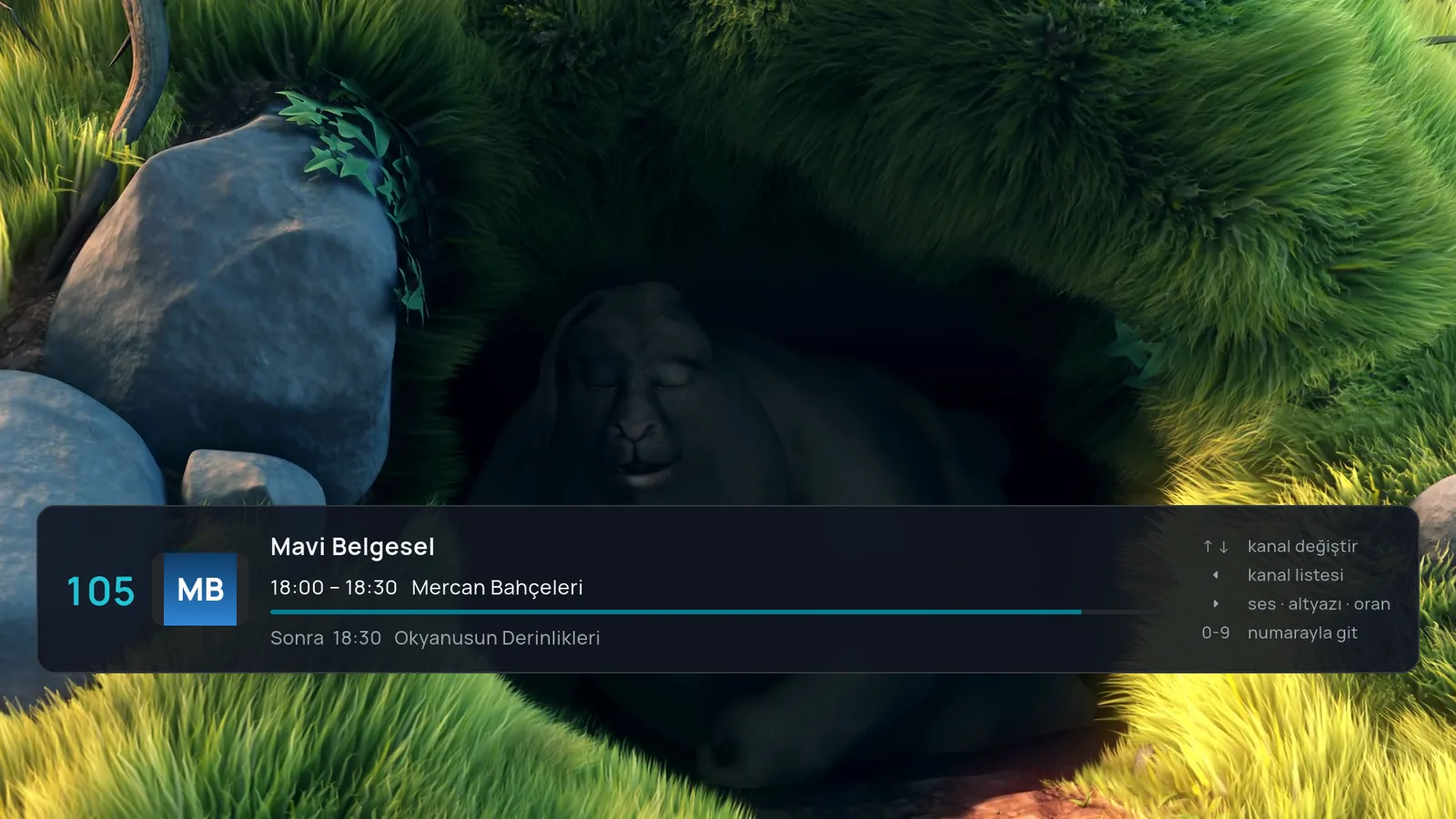
The channel strip
Press OK on a channel and a clean strip shows what is on and what is next. Up and down change channels, and typing a number jumps straight to it.
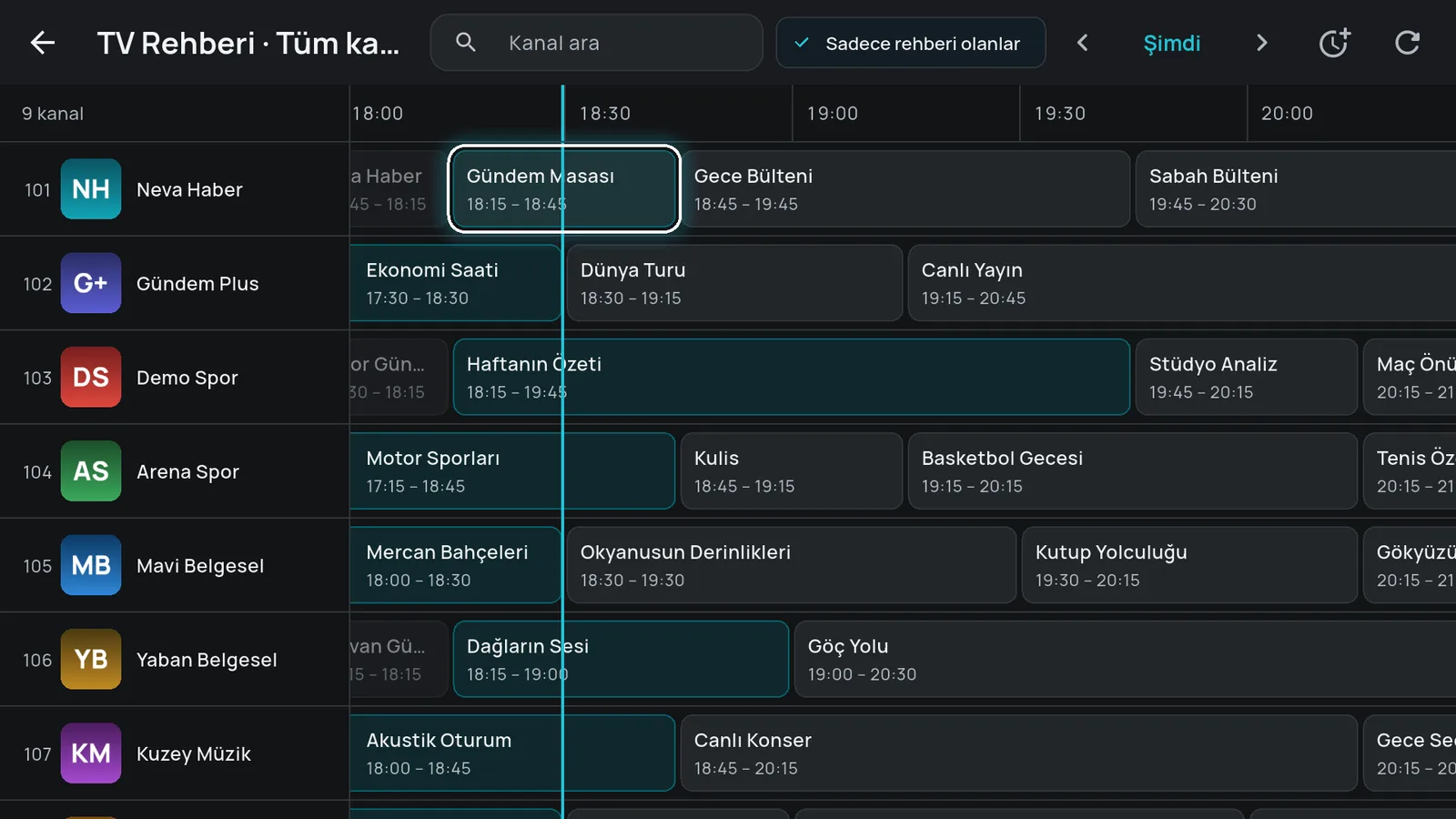
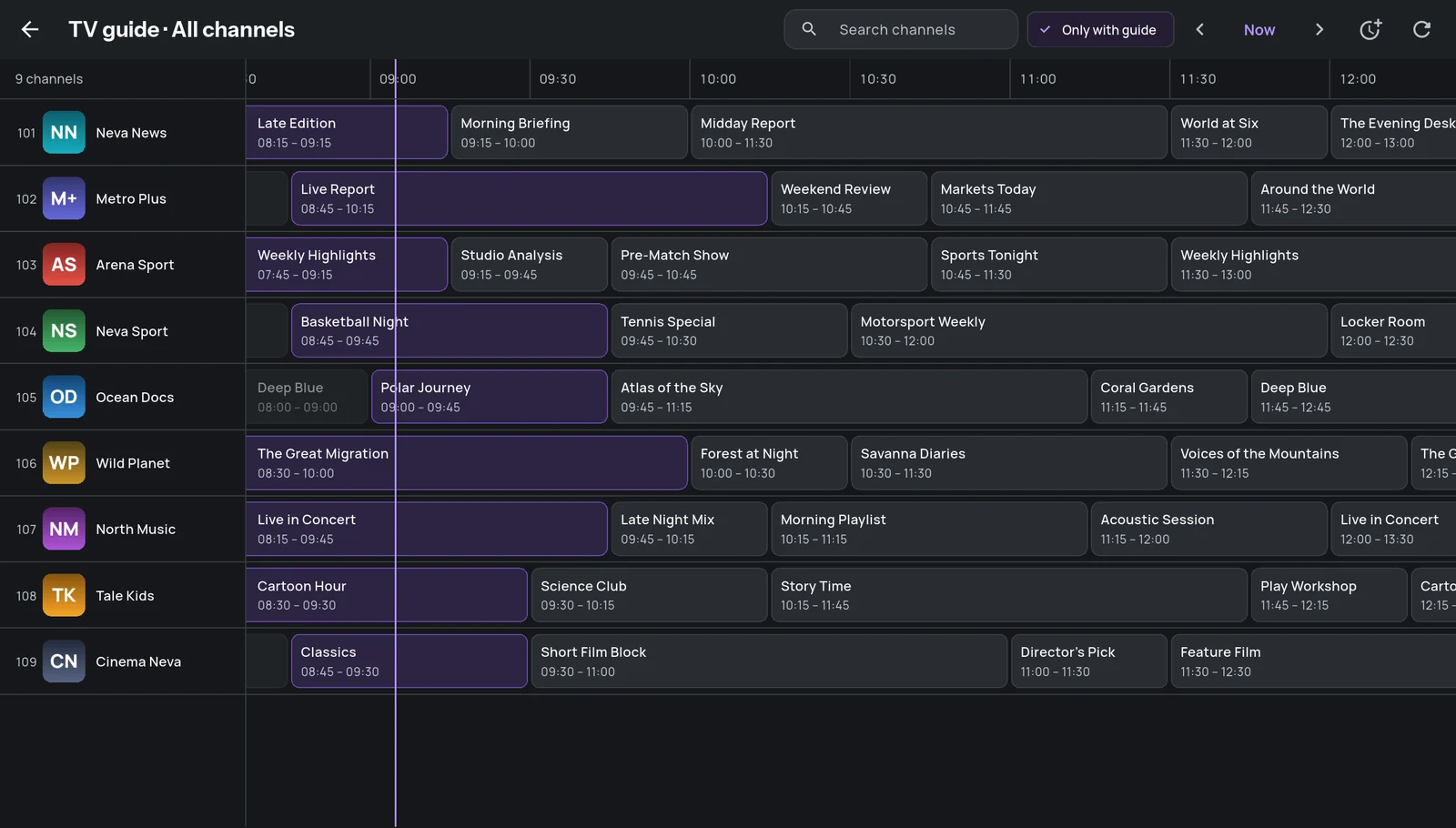
A guide you can move through
The TV guide scrolls with the remote, shows now and next on every channel, and lets you set reminders.
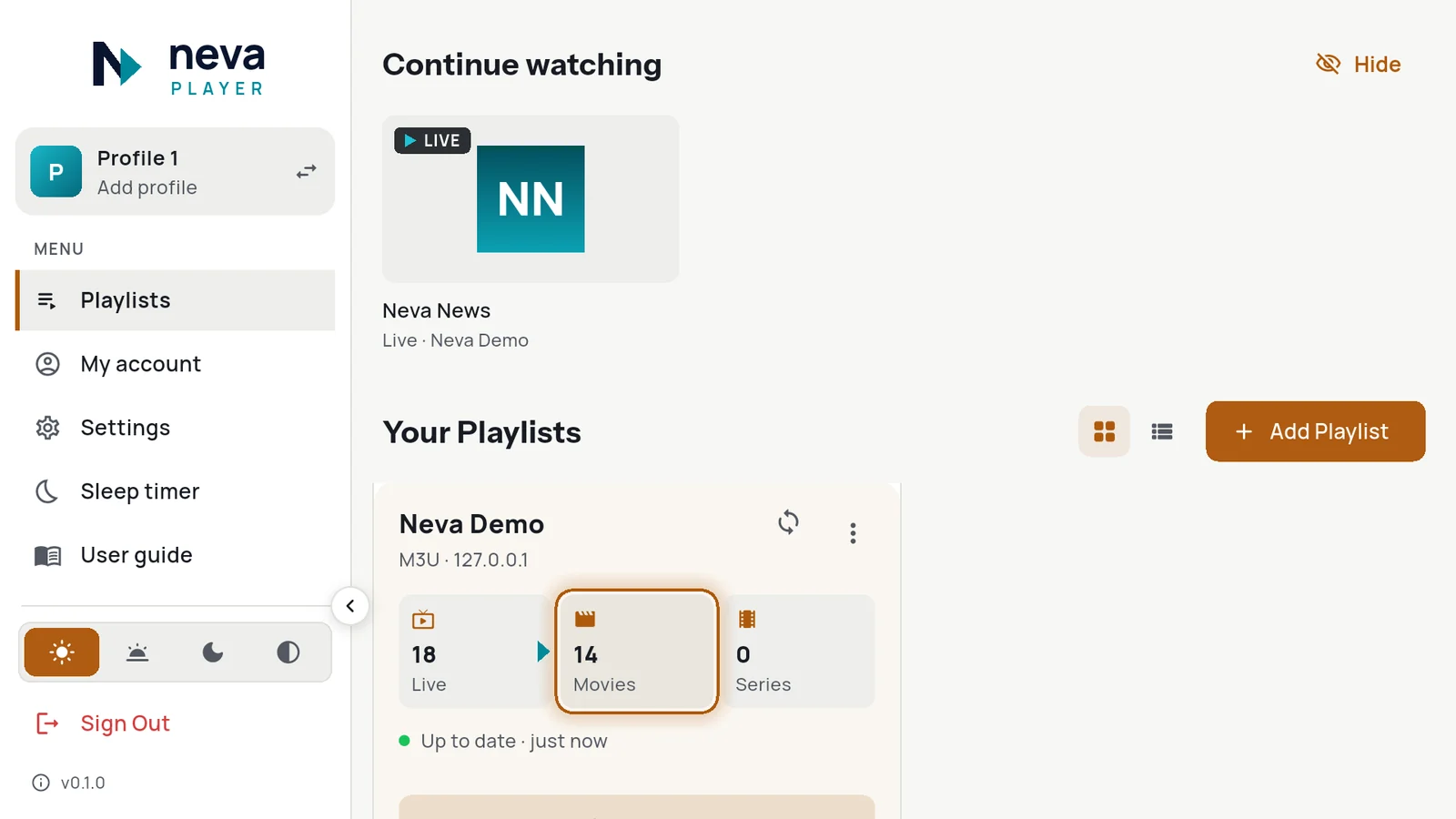
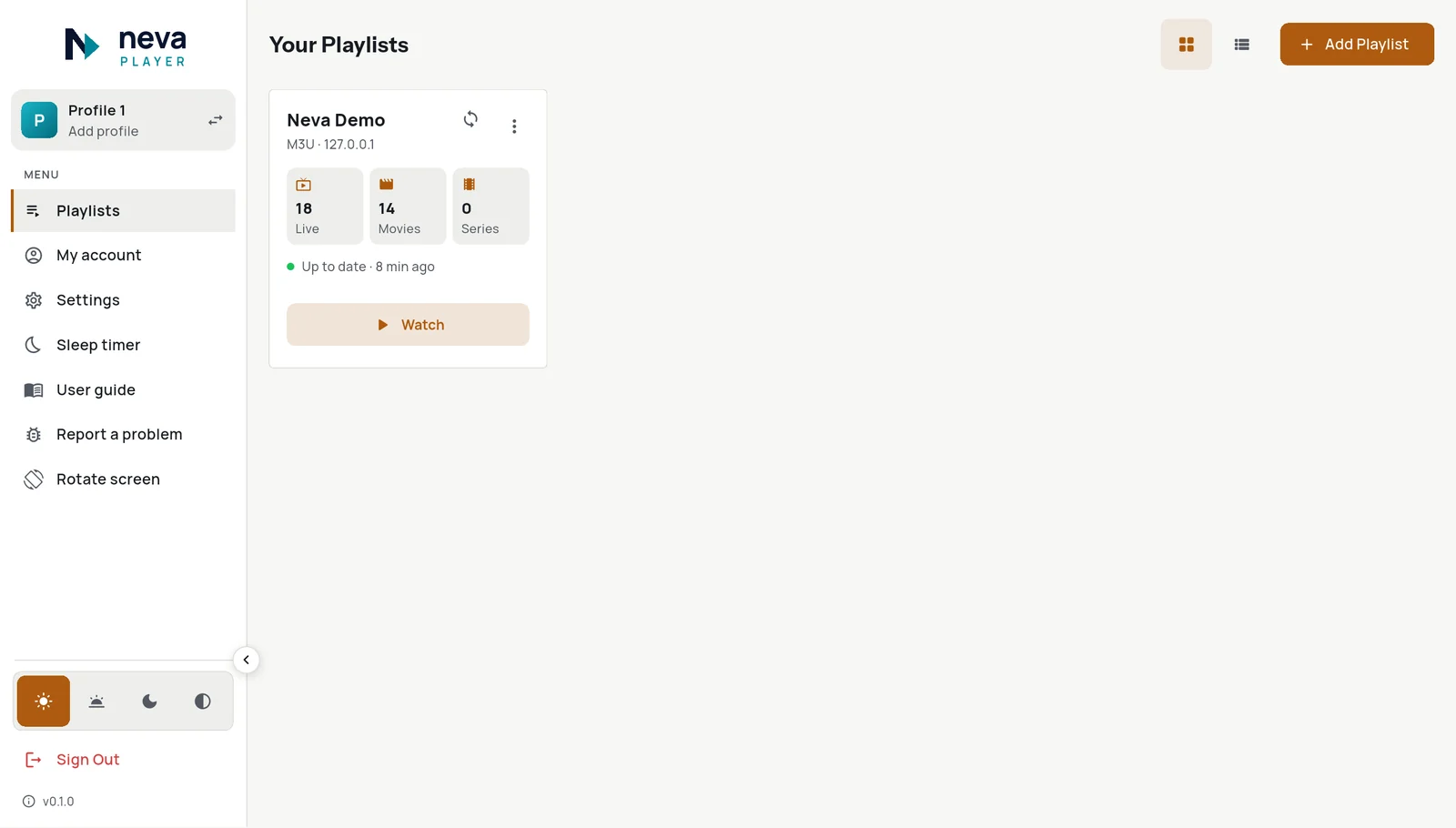
Your playlists up front
Pick a theme, add a list by scanning a QR code, and pick up where you left off.
Your channels in your pocket.
The same library, laid out for one hand.
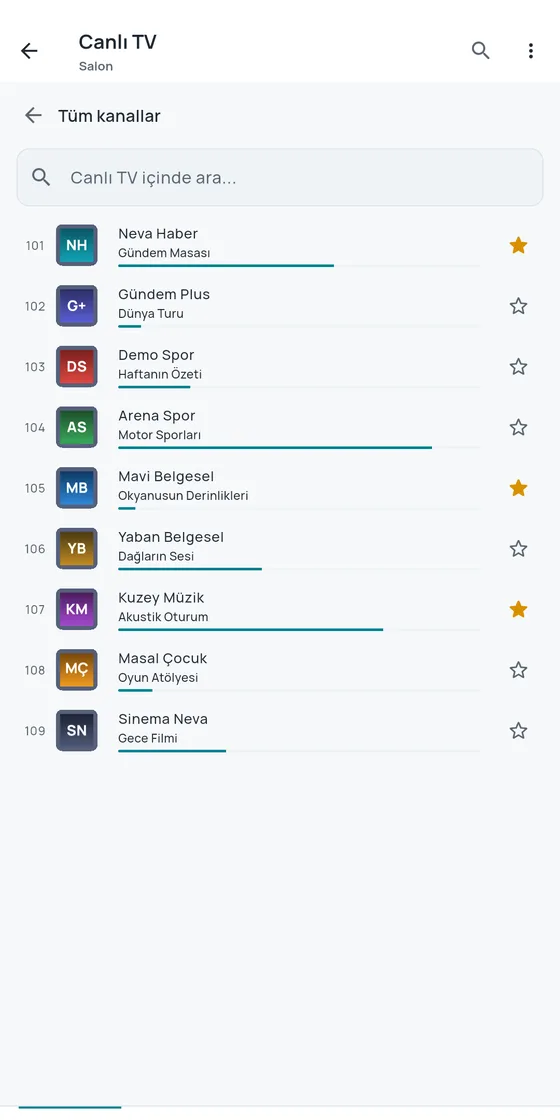
Channels at a glance
Numbers, logos and what is on right now, with a progress bar for each program.
Movies and series
A featured shelf, category rows and a continue-watching row.
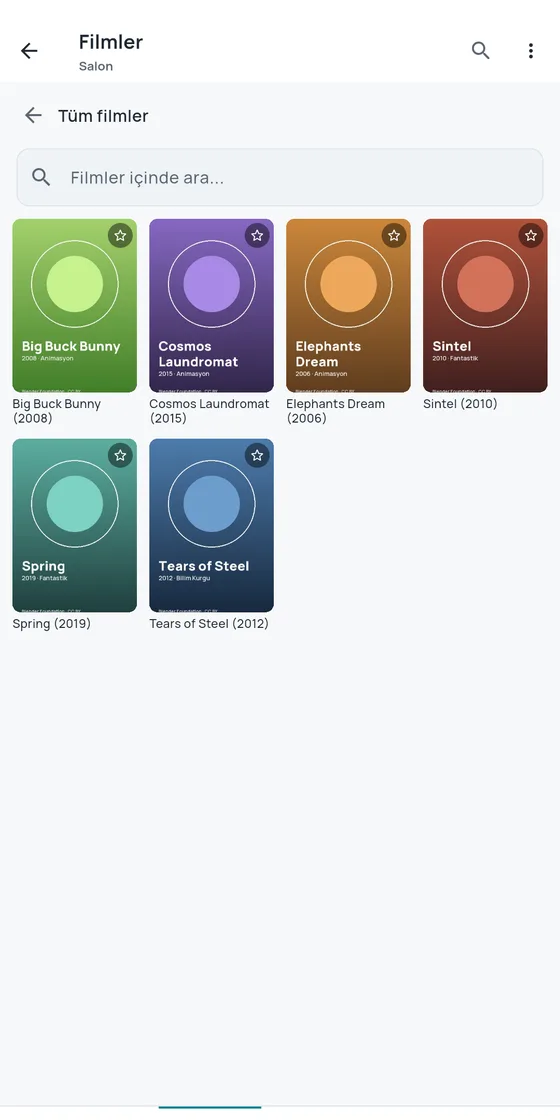
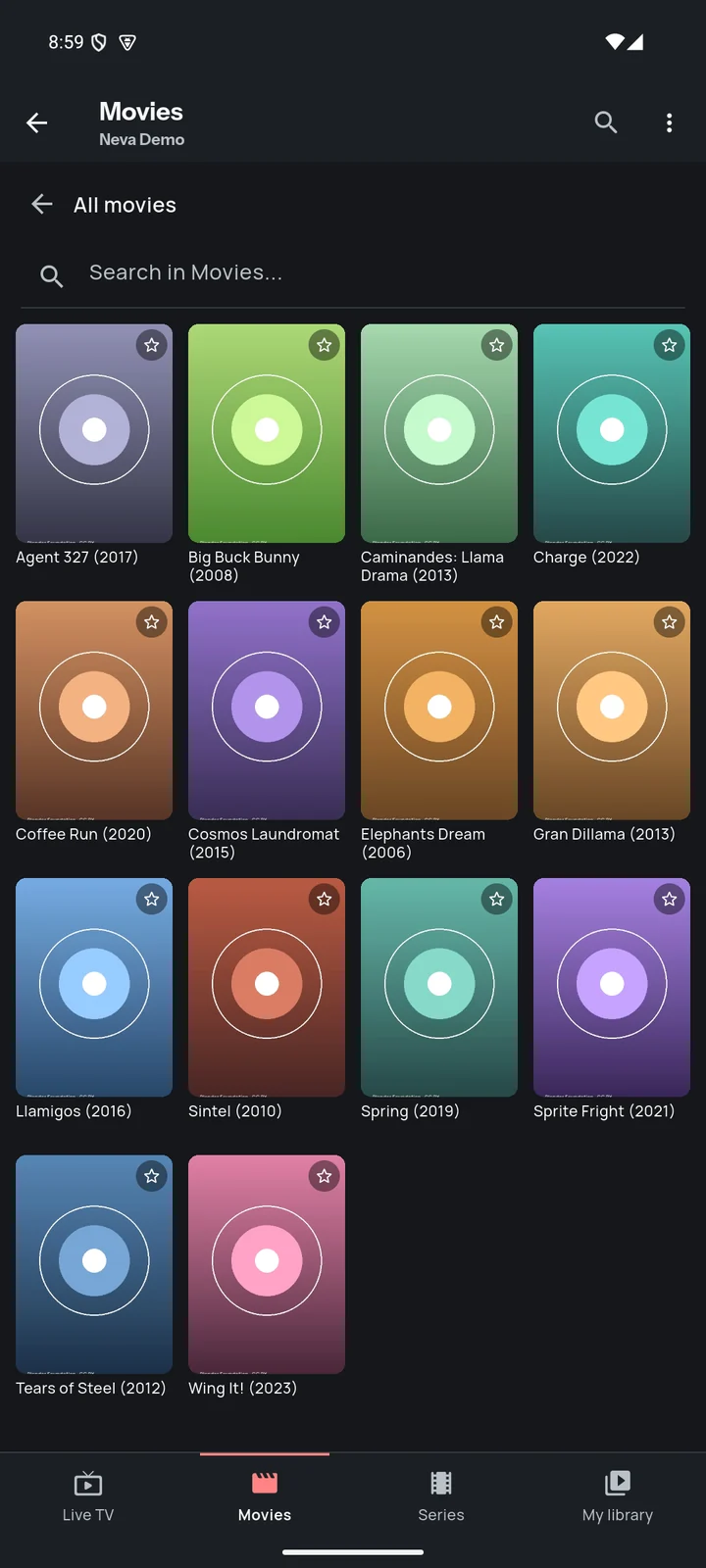
Posters, not lists
Browse a poster grid and add favorites with a tap.
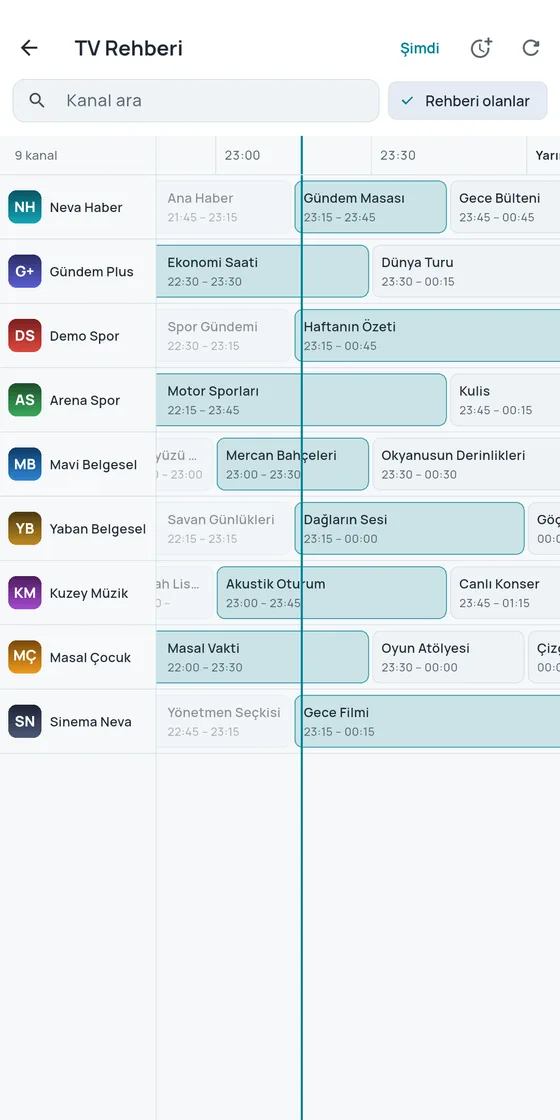
The guide, in portrait
A compact timeline with a live marker, search and reminders.
Room to breathe on the desktop.
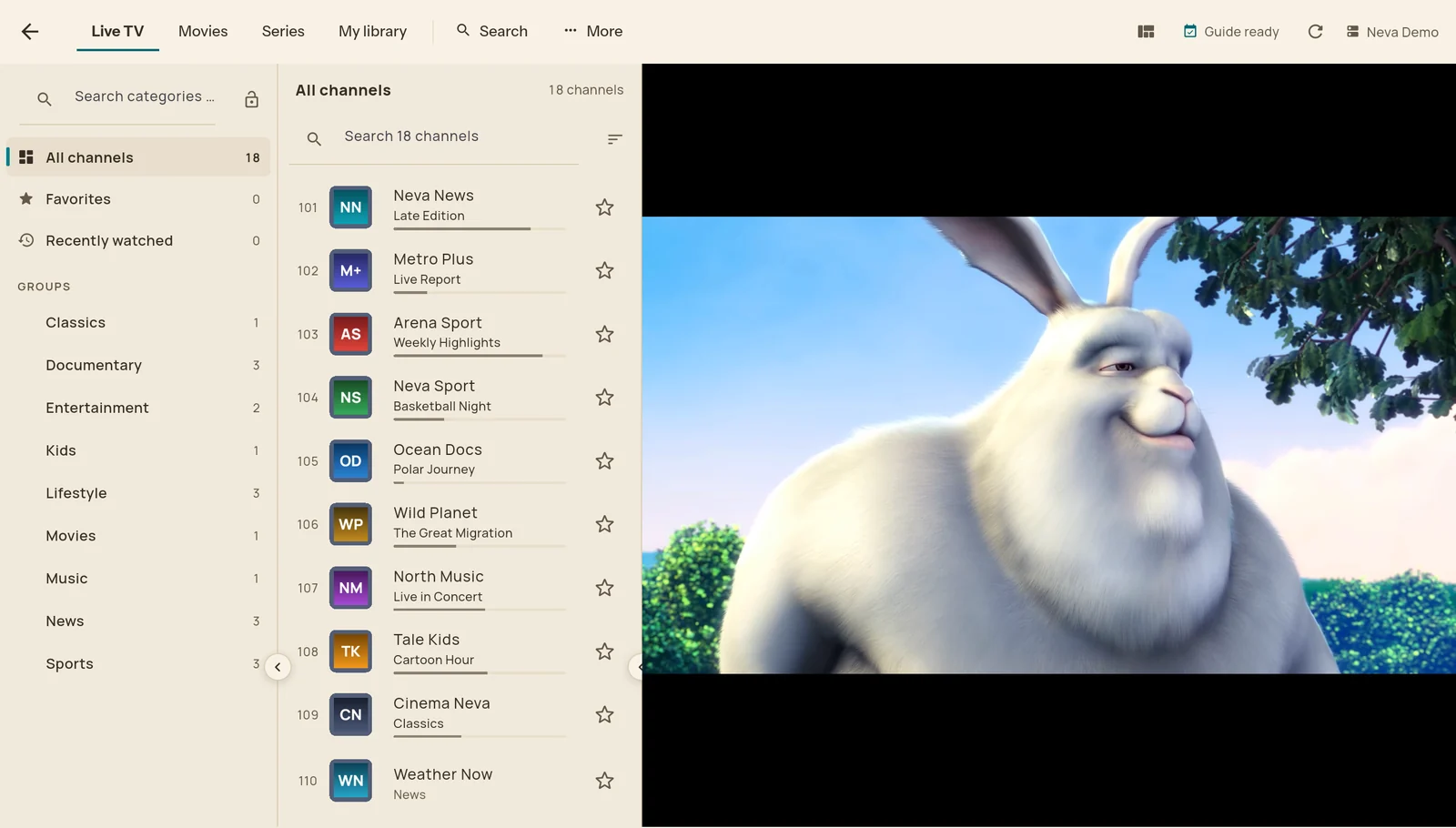
Categories, channels and the player side by side, with keyboard shortcuts and drag-to-reorder.
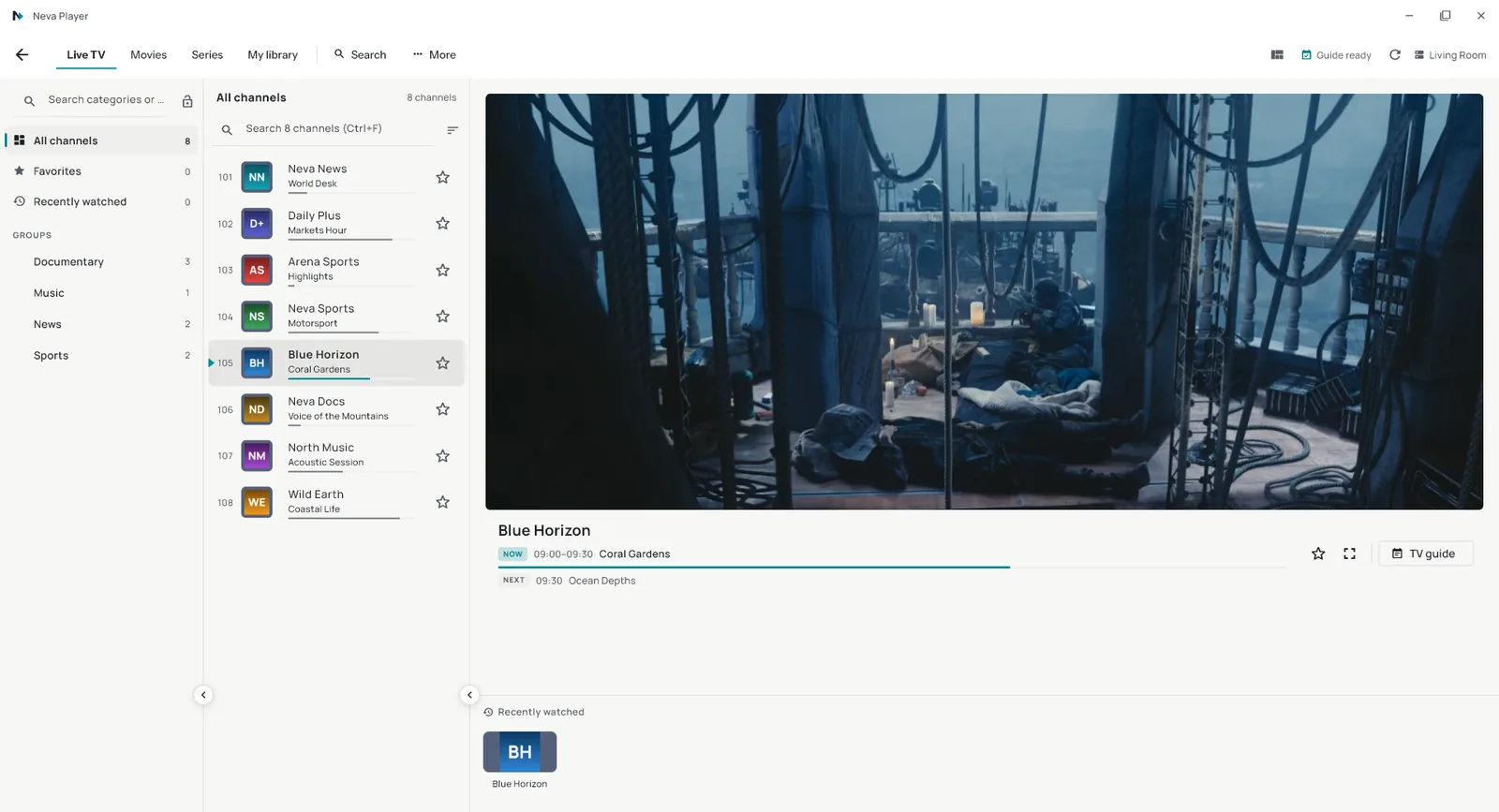
Three panes, one glance
Groups on the left, channels in the middle, the player on the right. Resize or collapse any of them.
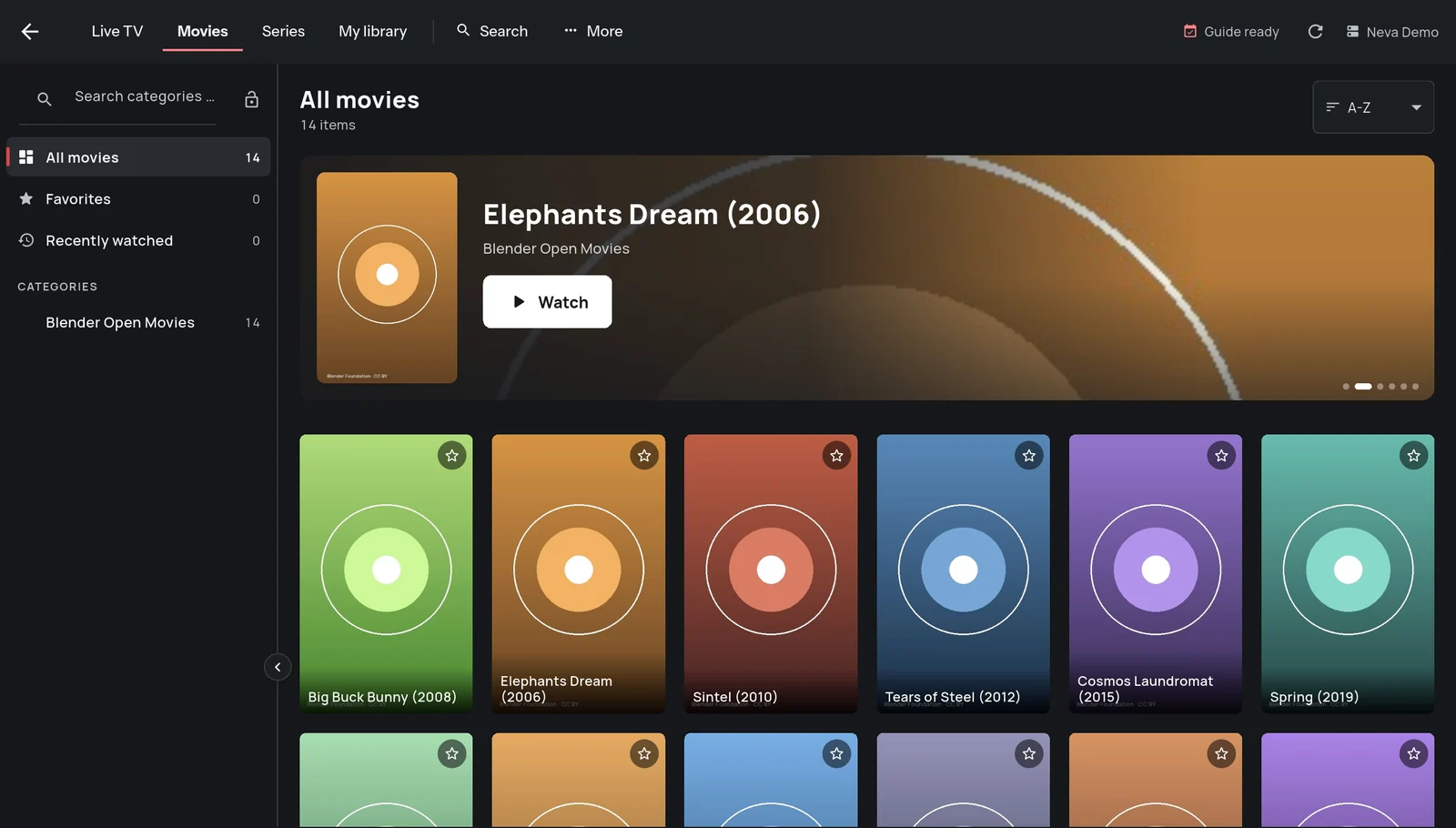
Movies and shows
A poster library with a featured carousel and sorting.
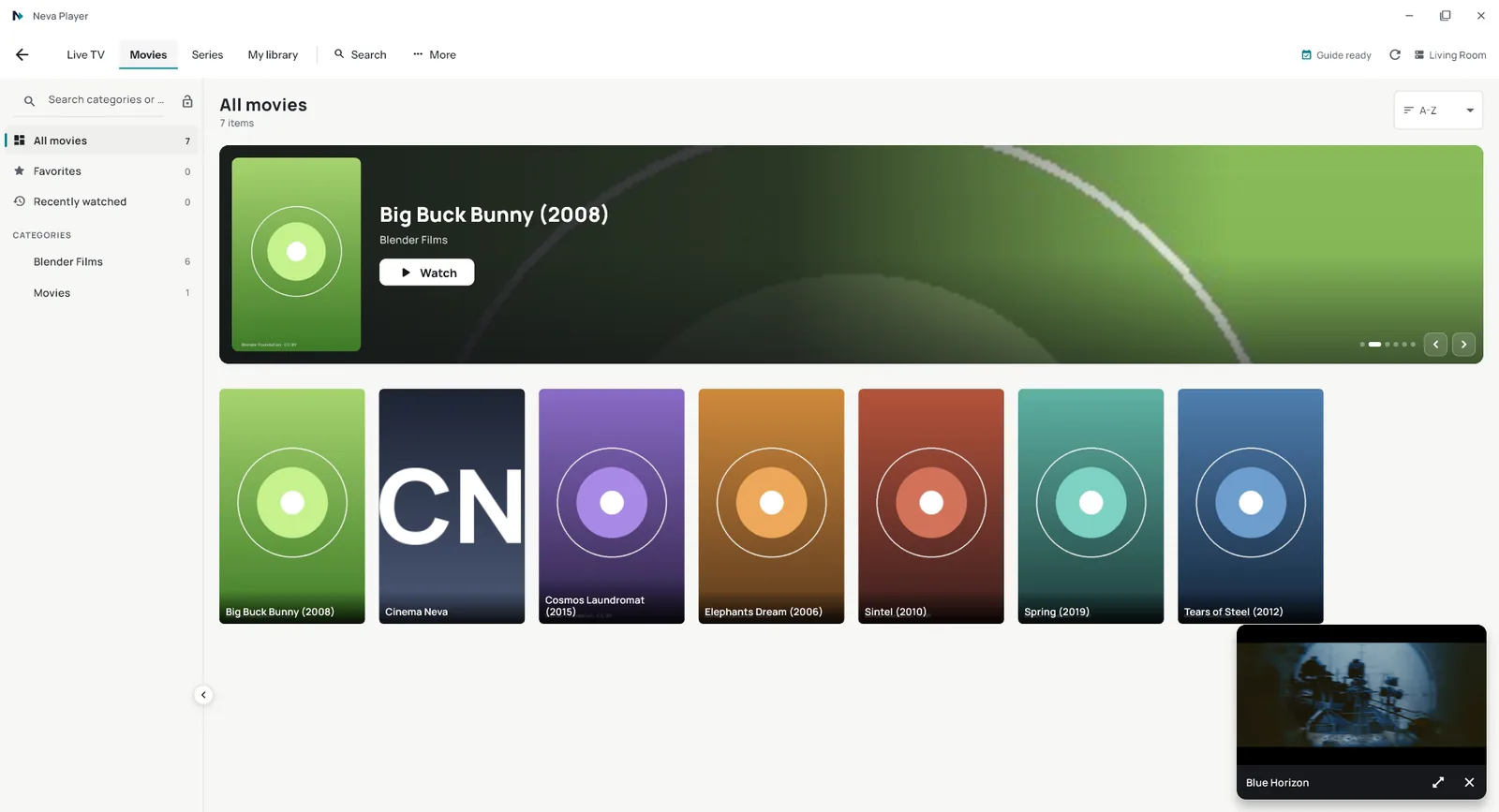
Channels, logos and program names in these pictures are samples. They show no real broadcast and no personal data. Video: Blender Foundation | www.blender.org (CC BY).
What it does
The details that make watching easier.
Your lists, your rules
Add an M3U link, an Xtream Codes account or a Stalker portal. Live TV, movies and series all land in one place.
A guide that knows the time
Loads XMLTV automatically, shows what is on now and lays programs out on a timeline. Search the guide and set reminders.
Instant channel changes
Remote-friendly zapping without waiting. Type a channel number and you are there.
Reconnects on its own
If a stream drops or freezes, Neva quietly retries. Movies pick up from the second you left.
Rewind and catch up
Pause live TV, jump back, or watch a missed show when your provider supports it.
Know what you are watching
Movie and series pages with plot, cast, director, ratings and trailers. Tap a person to see who they are.
Yours to arrange
Reorder groups and channels, hide what you never watch, pick a theme and tune the density. Large text and screen readers are supported.
Safe for the whole family
Separate profiles with their own favorites and history, a PIN lock, a kids profile and adult categories hidden by default.
Everything a player should have.
On Windows, all of it is open during the 15-day trial.
Watch
- Live TV, movies and series in one app
- TV guide grid, with only guided channels shown on first open
- Skip intro, subtitle and audio language, sync adjustment
- Picture-in-picture and multi-view
- Continue-watching shelf
Arrange
- Favorites and favorite folders
- Drag to reorder on desktop, long-press on TV
- Light, easy-on-the-eyes, dark and OLED black themes, 9 accent colors
- Profiles with their own history and progress
TV and devices
- Every screen works with a remote, channels by number
- Type playlist details on your phone, scan a QR code (same Wi-Fi)
- Continue on the TV from where you stopped on your phone
- Remappable keyboard shortcuts on Windows
- Sleep timer that warns 10 minutes ahead
Family and privacy
- PIN lock and category lock, kids profile
- Playlists and passwords stay encrypted on your device
- Password-protected encrypted backup
- Private mode: what you watch isn't written to history
- No ads, no tracking tools
How it works
From install to watching in minutes.
Install
Get Neva from the store. On Windows, every feature is free for the first 15 days.
Add your list
Tap Add and paste your M3U link, Xtream details or Stalker portal. Channels and the guide load by themselves.
Press play
Pick, watch, favorite. Neva handles the rest.
Pricing
Prices will be announced when the stores open.
Neva is a software license. What you pay for is the player and its updates. No plan includes channels, movies, series, playlists or any subscription to content; content comes from the sources you add.
FAQ
Questions people ask.
Does Neva provide channels, movies or series?
No. Neva is only a media player. It does not provide, host or distribute any TV channel, movie or series. Everything you watch comes from the playlist you add yourself.
Is it legal to use Neva?
Yes. Neva is player software like VLC or Kodi, and it ships with no content, playlist or source. Using a player is legal. Legality depends on what you play, so add only sources you have the right to watch: services you subscribe to, public broadcasts, or your own media server. More in the Terms of use.
How do I add my playlist?
Tap Add in the app and enter an M3U link, your Xtream Codes details, or a Stalker portal address with its MAC address. Neva loads the list and, if there is one, the program guide.
Can I arrange groups and channels my way?
Yes. Drag them on the desktop, long-press and drag on a phone, or hold OK and move with the arrows on Android TV. Your order is saved on the device and survives list refreshes.
Which devices does it run on?
Windows, Android TV and Android phones and tablets are ready, with Microsoft Store and Google Play releases coming. iPhone, iPad, Mac, Apple TV and Fire TV are on the roadmap.
What does the lifetime license cover?
A one-time payment gives you lasting access to the Neva software and its future updates. It is a software license and includes no content subscription.
Can I cancel the yearly plan?
Yes, any time from the store's subscriptions page. The 15-day trial on Windows needs no card and charges nothing by itself. On Android TV the yearly plan starts with Google Play's 7-day free trial; cancel before it ends and nothing is charged. Refunds follow the policy of the store you bought from (Microsoft Store or Google Play).
Privacy
Privacy, in short.
Your playlists and passwords stay on your device, encrypted. There are no ads and no tracking tools. This version has no account, cloud sync or usage statistics, so no personal data is sent to us. Neva connects to your source's servers. This feature is optional and disabled by default; when enabled in Settings, it only asks the name to Wikidata and Wikipedia.
Connect your screens to Neva.
Bring your own list and leave the rest to the player.